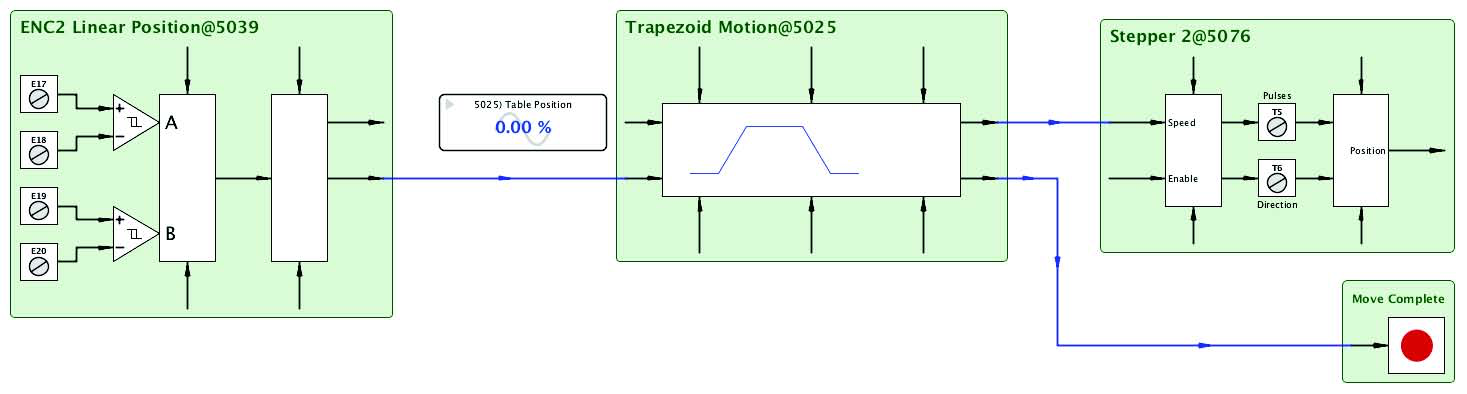
OverviewBasic LibraryProcess ControlWinder ControlAdvanced MathEncoderSun Position CalculatorMotion Control
Function Block Libraries Overview
Programming in thedrive.web
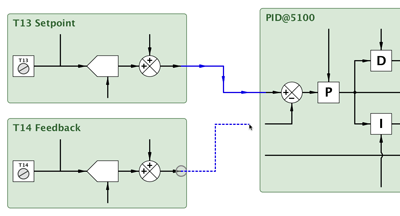
environment is done by building your control scheme with function blocks that you connect together by dragging and dropping between parameter “terminals” in at completely intuitive way.For example, here is a basic PID controller: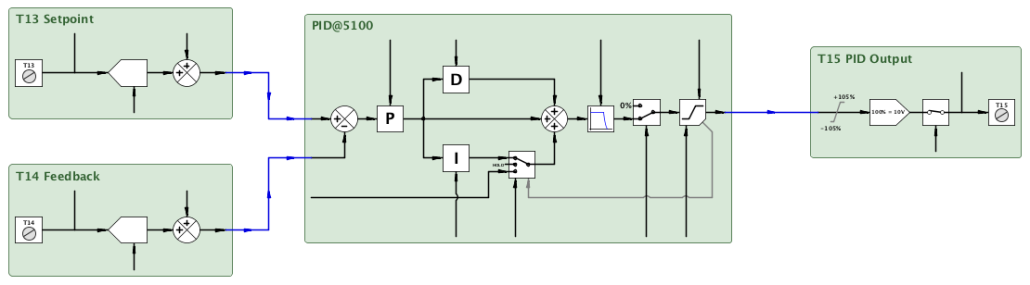 Terminal inputs for Setpoint & Feedback are connected to the PID inputs and the PID output is connected to an output terminal … very simple … no tortuous lines of code and everything is visible in a totally intuitive form.Simply click on a function block and it drills you down to the operational detail: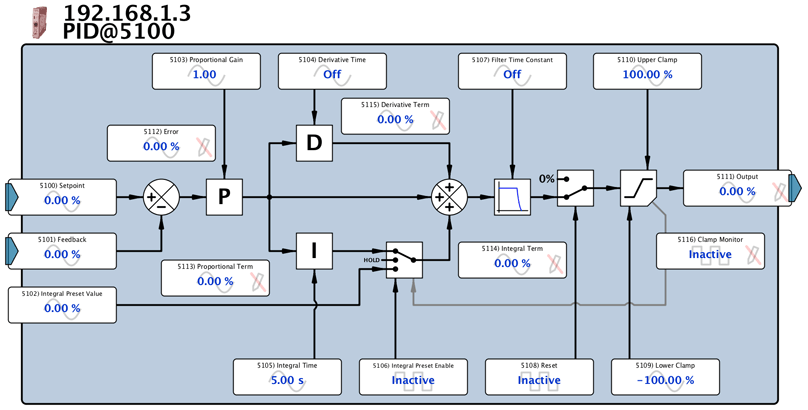
To help you manage your function blocks more easily they are accessed via specific application oriented libraries:
Basic Function Block Library (standard in every drive.web device)
This library is incorporated in every drive.web device (
speedy
,
smarty
, etc.)
It contains a suite of functions to enable you to build basic systems, including:
- Basic arithmetic
- Clamps
- PI controllers
- Logic and switch functions
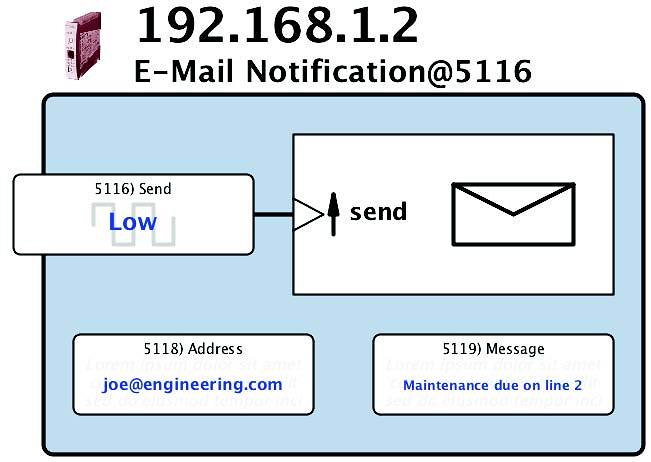
- Numerous utility functions including, email notification, indicators, system watchdogs and more.
Here is an example of the Basic Function Block selector:

Process Control Function Block Library (dwOPTION -05)
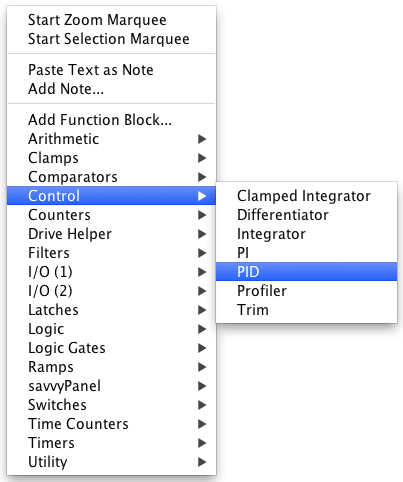
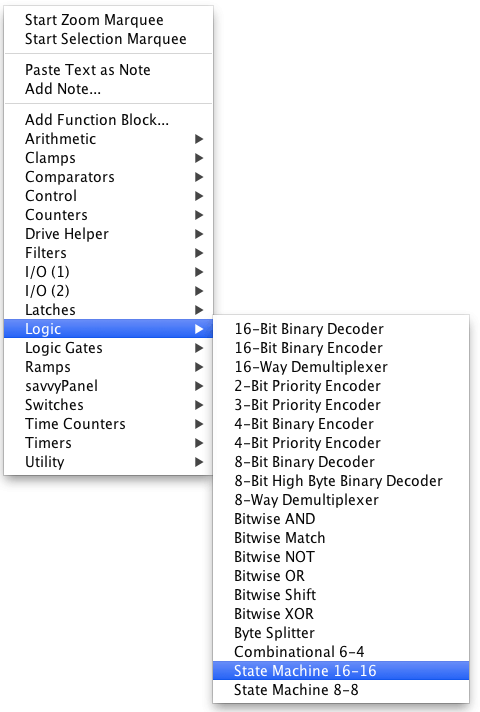
Contains a wide selection of functions that enable you to build complex systems with ease. Here are some examples of the Function Block selector:
Winder Control Function Block Library (dwOPTION -06)
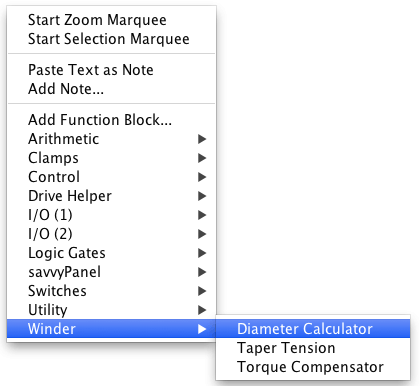
Contains very powerful function blocks to help you tackle even the most complex winder applications with ease. Here is an example of the selector:
Advanced Math Function Block Library (dwOPTION -10)
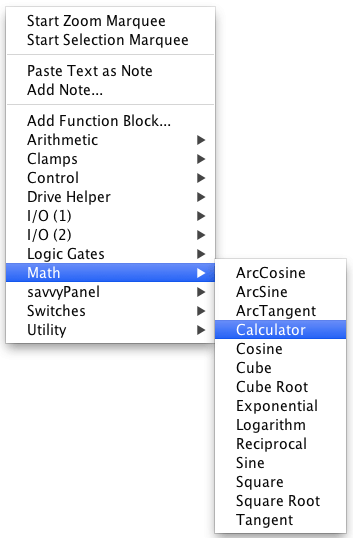
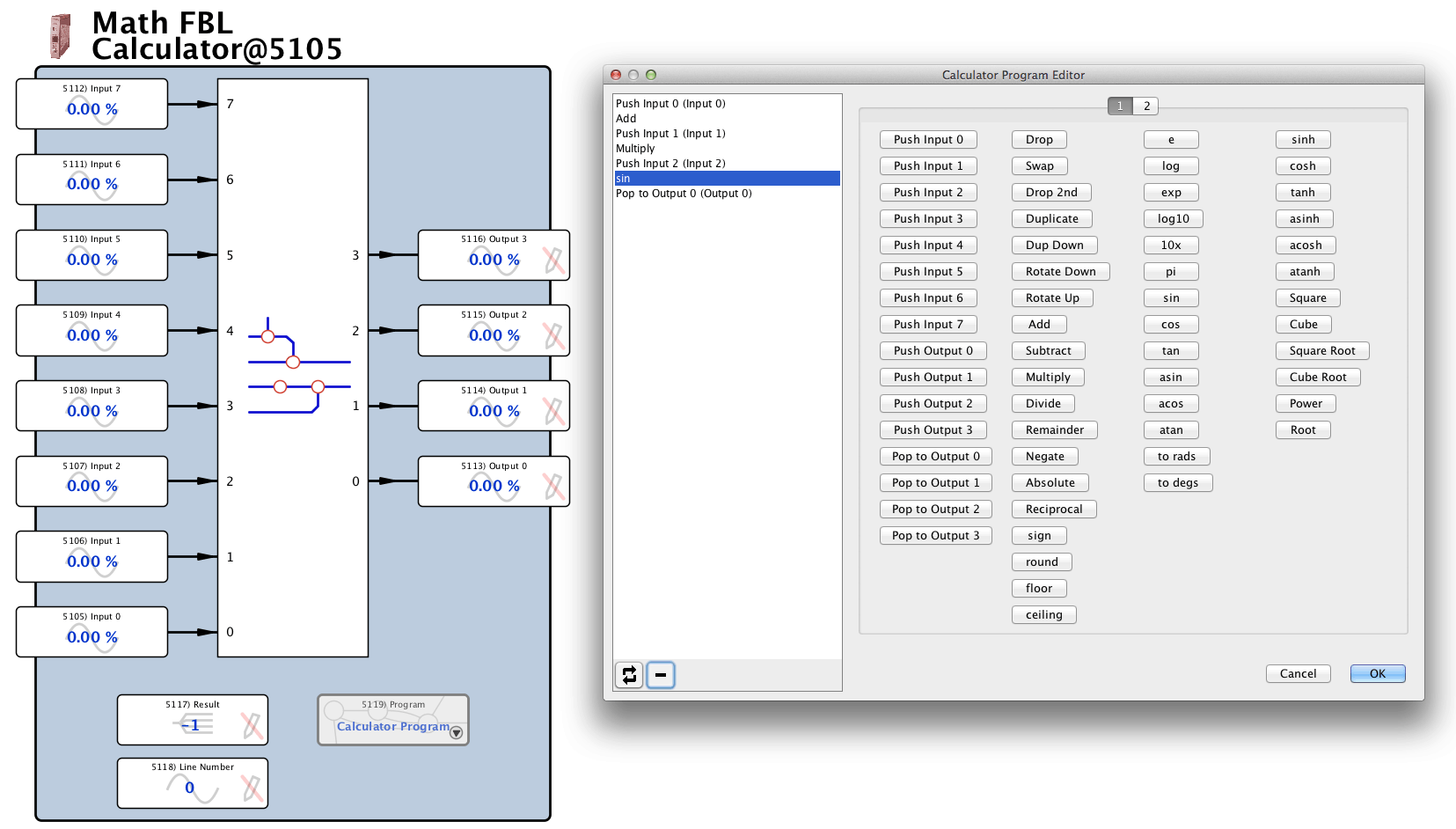
This library contains all the math functions you might need for the most complex of applications. It also includes a powerful calculator that helps you build complete multi step mathematical programs. Here is an example of the Advanced Math Function selector:
Encoder Function Block Library (dwOPTION -11)
This library is dedicated to precision control functions that use incremental encoders for applications such as phase lock, registration, indexing, position control, etc. Counts use rising and falling edges of both phase and quadrature pulses up to 64 bits for exceptional accuracy and range.
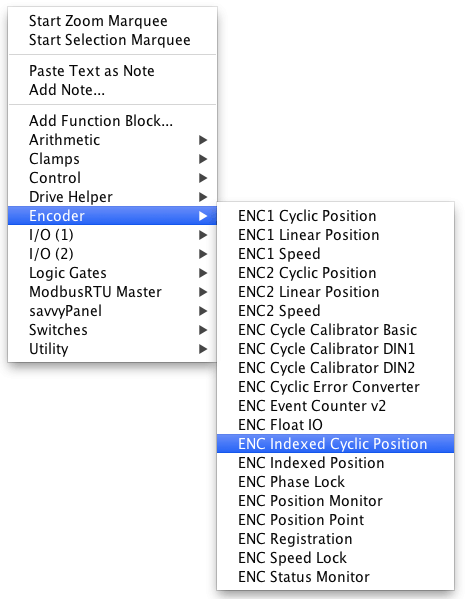
Here is an example of the Encoder Function Block selector:
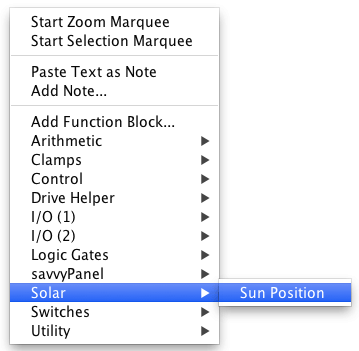
Sun Position Calculator Function Block Library (dwOPTION -29)
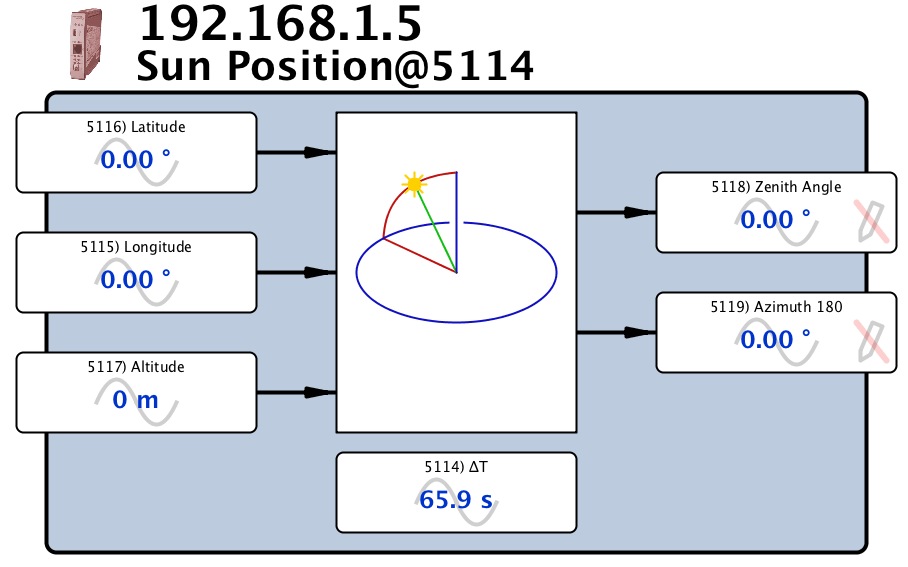
A powerful tool for optimizing the performance of solar energy systems. It includes compensation for Terrestrial Time ∂T. Provides accurate earth orientation calculation for applications such as telescope orientation, radar synchronization and if you are thinking of launching a space ship from your back yard it might help you point it roughly in the right direction!
Motion Control Function Block Library (dwOPTION -36)
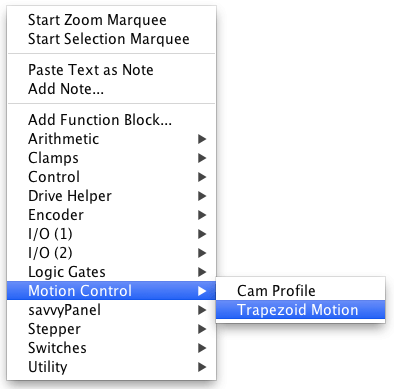
Provides simplified, intuitive solutions for functions such as Trapezoidal and Cam motions. Suitable for use with AC and DC drives, stepper drives and most servo drives. It includes options for encoder feedback with 64-bit count capability. Here is an example of the Function Block selector:
Basic Function Block Library
Everydrive.web
device has a Basic Function Block Library that includes a useful range of functions that can be instantiated as often as necessary and connected by drag & drop to perform basic control schemes. All function block graphics are dynamic, so all objects such as switches, contacts, indicators and parameters show their real-time state or value.Basic Arithmetic & Clamps:
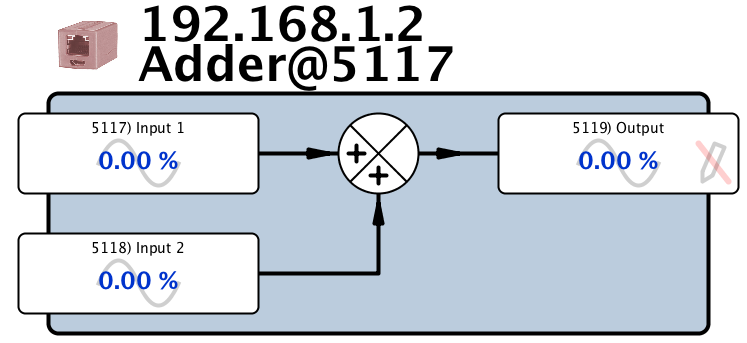
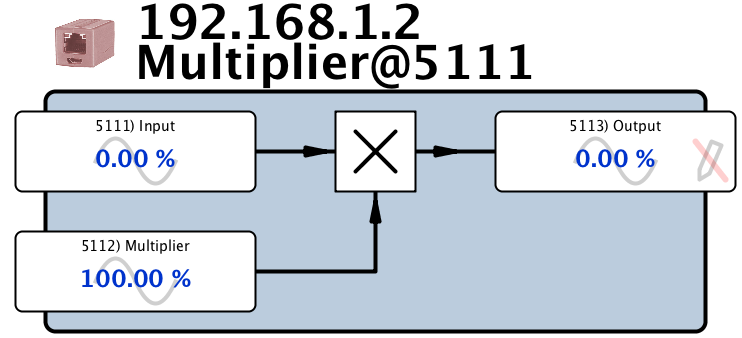
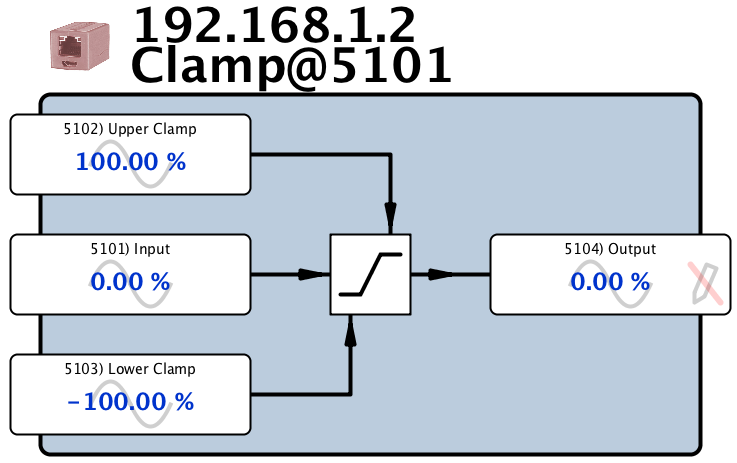
Adders, Dividers, Multipliers, Sign Changers, Subtractors, Clamps.
Here are examples of some of the Arithmetic function blocks:
PI Controller:
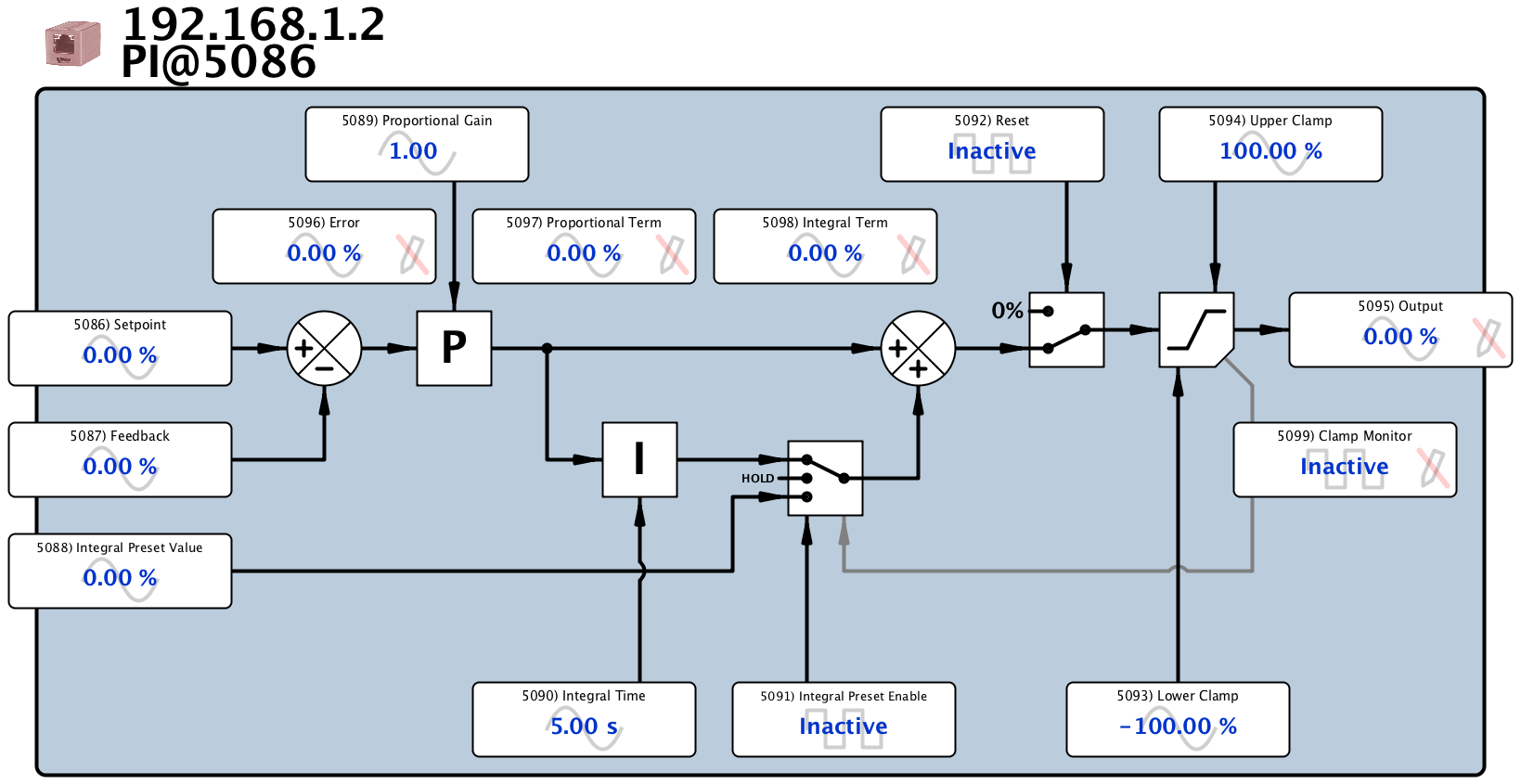
The basic PI controller is suitable for most closed loop control applications.
This function block includes all of the features you will need for demanding industrial applications, such as:
- Integral preset
- Independent upper and lower output clamps
- Together with monitoring points for all the key variables including error, clamp state, and PI terms
Here is an example of the PI Controller Function Block:
Logic & Switch Functions:
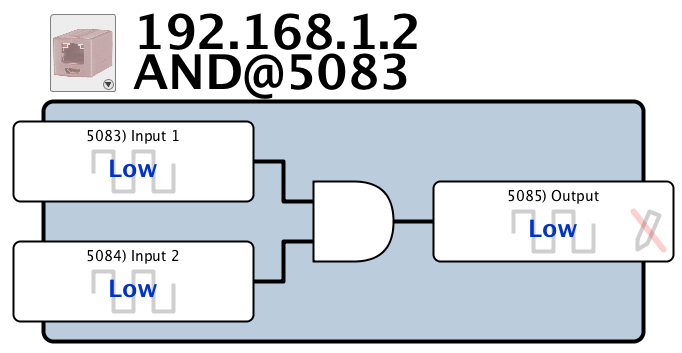
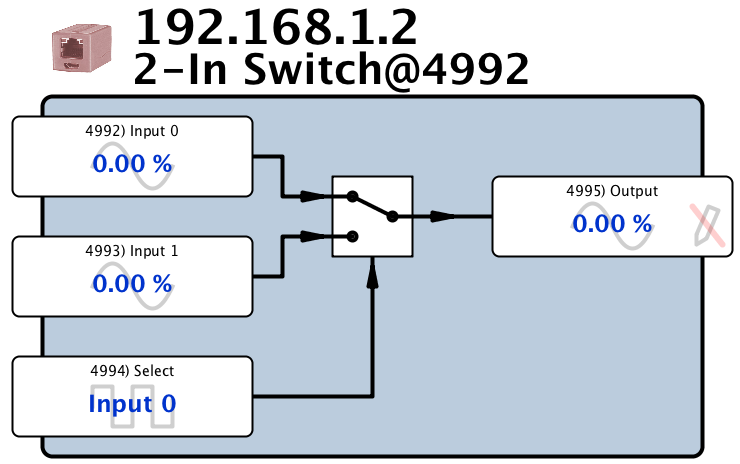
AND, NOT, OR, 2-In Switch, 2-Out Switch
Easy to use logic functions enable you to build basic interlocks and control schemes. Here are examples of some of the logic function blocks:
savvyPanel Functions:
These control the behavior of
savvyPanel
touchscreen devices such as pushbuttons, setters, meters and indicator lamps.
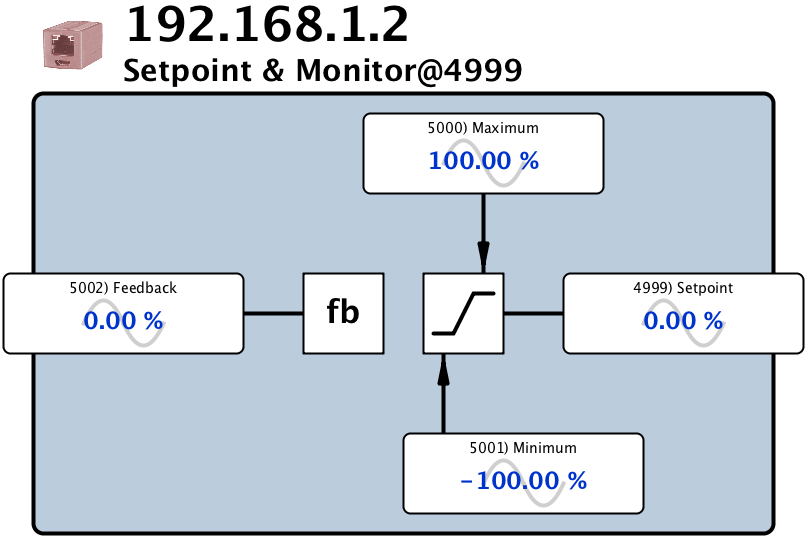
The Function Blocks include setpoint/feedback monitors, set/reset latches, monitors, setters, etc.
Here is an examples of a savvyPanel function blocks:
Utility Function Blocks:
Utilities enable you to handle different data types, send event driven emails and monitor the operation of your system and network.
- Parameter blocks for analog, binary, Boolean, enumerations, hexadecimal
- email notifications
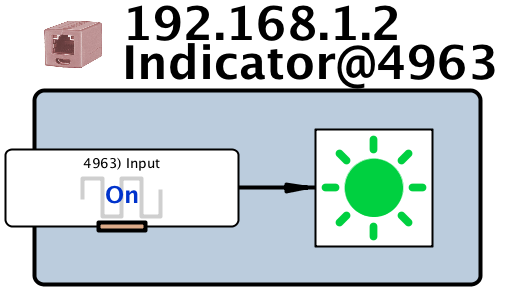
- Indicators
- Network statistics
- Watchdogs
Here are examples of some of the Utility function blocks:

Process Control Function Block Library (dwOPTION -05)
This library contains a large array of general automation and process control function blocks for easy solutions to applications such as:- Multiple drive coordination in printing, coating, laminating, converting, extrusion lines
- Sequential, switch, conditional and state logic
- Pump, flow, and pressure control
- Mixing, blending and recipe control
- Packaging, form/fill, wrapping, sealing
- Temperature, power and energy control

The best way to explore this library is to:
- Download the savvy tools.
- Create a “Phantom" of a
drive.web
device. - Left-click on the device icon to drill down into the “Signal Flow Diagram."
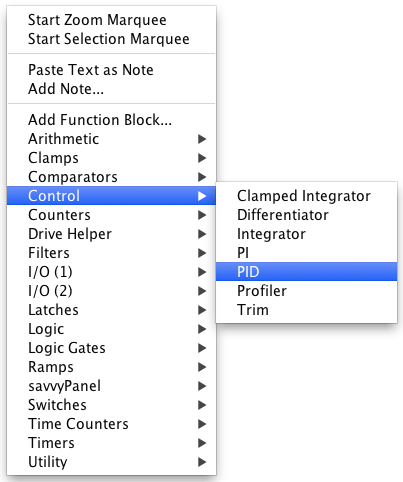
- Right-click anywhere to select a function block of interest from the FB menu.
Don’t worry,
prevent you from making connections that are illegal!
savvy
will automaticallyprevent you from making connections that are illegal!
Winder Control Function Block Library (dwOPTION -06)
This library contains the tools you need to create easy solutions to all web and cable winding and unwinding applications. Simple applications may be solved with this library and the standard Basic Function Block Library. More complex applications may require additional libraries such as the Process Control FBL or the Encoder FBL. Note that you can create multiple instances of the winder control function blocks in any
drive.web speedy
orsmarty
that has dwOPTION -06.Winder/Unwinder applications include:
- Center core winding
- Surface driven winding
- Slip core winding
- Multi-turret winding
- Helical winding
- Laminar winding
Here are the three primary function blocks involved:
Diameter Calculator FB
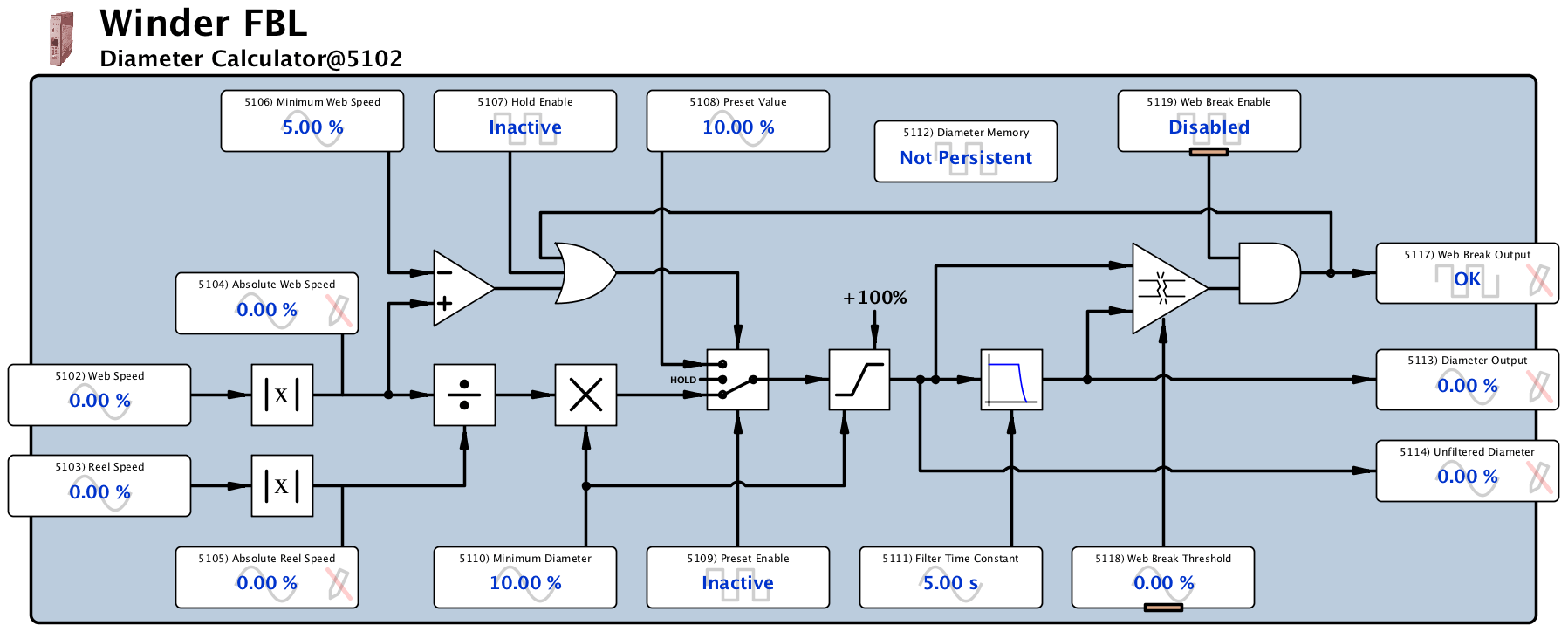
This block performs the calculation Line Speed ÷ Winder Speed to provide a signal proportional to diameter. It also includes all of the additional features you need to ensure reliable operation such as, core diameter presetting, diameter preset and hold, web break sensing, output filtering, memory persistence, minimum speed for calculation (0÷0 is obviously meaningless!) and speed signal polarity correction.
All of these features are managed in an intuitive, organized manner:

Taper Tension Calculator FB
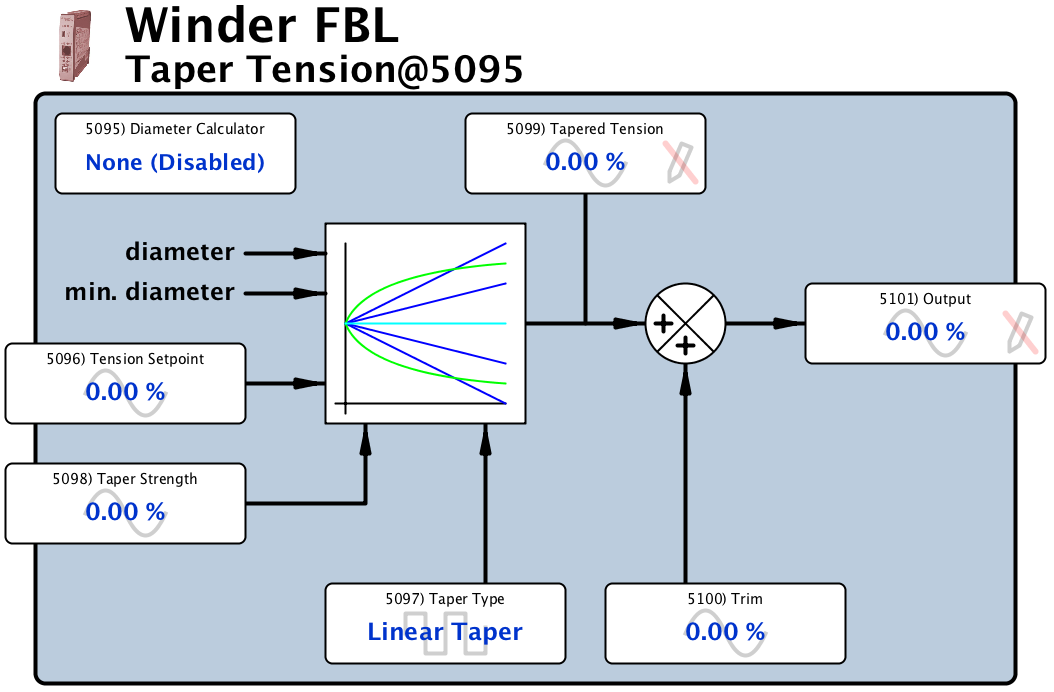
This function block automatically links to the selected diameter calculator block to ensure that the correct diameter data is applied. It then calculates the required taper from the machine operator’s setting to ensure that the core pressure is controlled and “telescoping” is prevented. Both linear taper and hyperbolic taper can be applied.
Torque Compensation FB
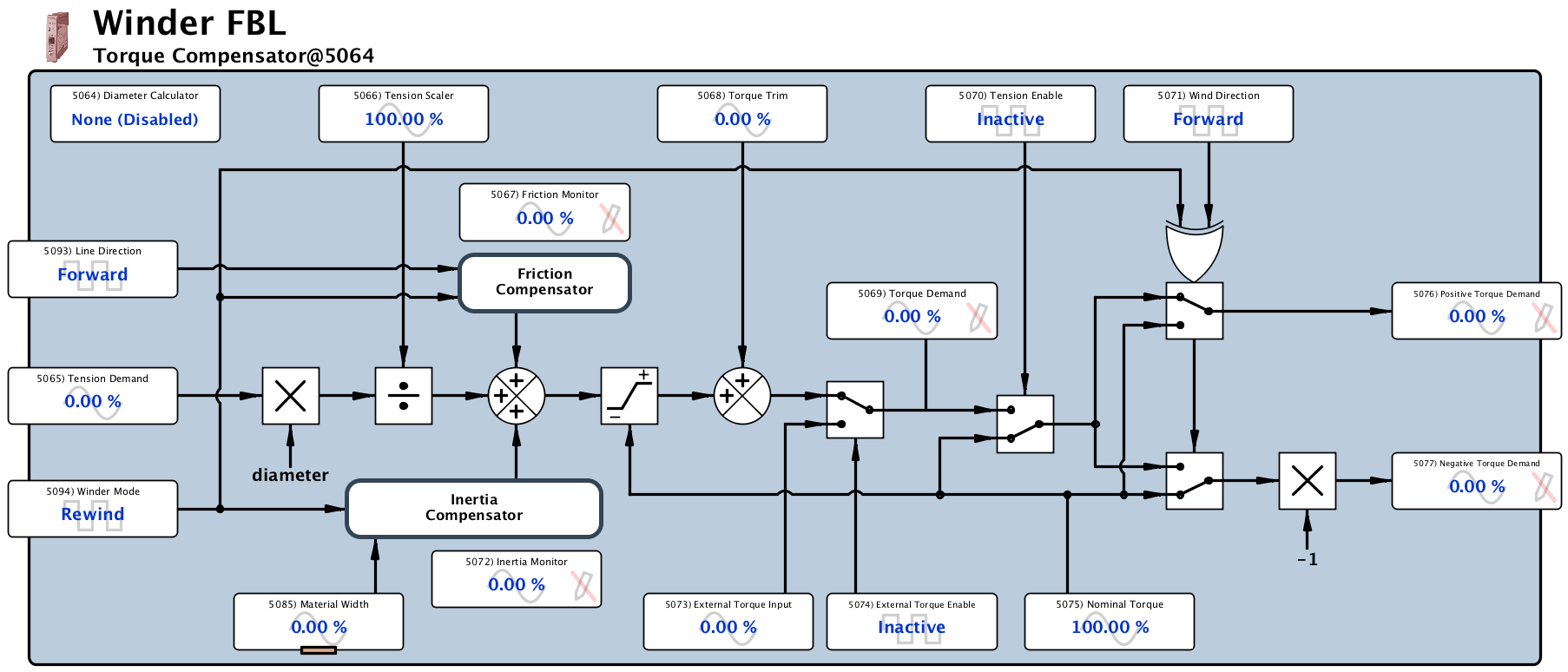
This function block is used in open loop winder systems to provide torque compensation for factors such as dynamic friction, static friction, windage, inertia and other external torque issues. Its mode of operation can be reversed on the fly for reversing winding/unwinding applications. Again, this block can be automatically linked to its associated diameter calculator to ensure accurate and complete functionality.
Winder Apps
Complete winder control systems will also require other functions (such as PID, arithmetic and logic) from other libraries. Please note that there are several generic complete winder configurations available for you to use and edit to suit your particular application.
Advanced Math Function Block Library (dwOPTION -10)
Most systems can easily be built from the other FBLs but occasionally you will need help for a specially complex application.The Advanced Math FBL includes functions that go beyond the norm!
Here’s the menu list:

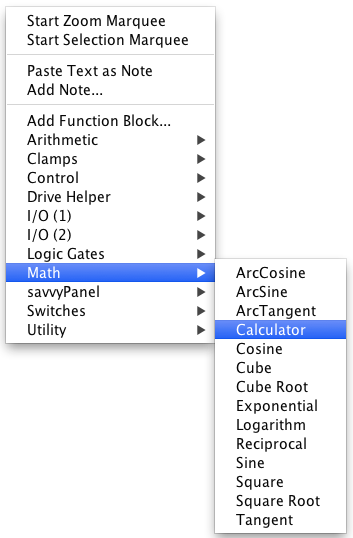
These FBs are very intuitive in their use and can easily be connected together to perform multiple functions.
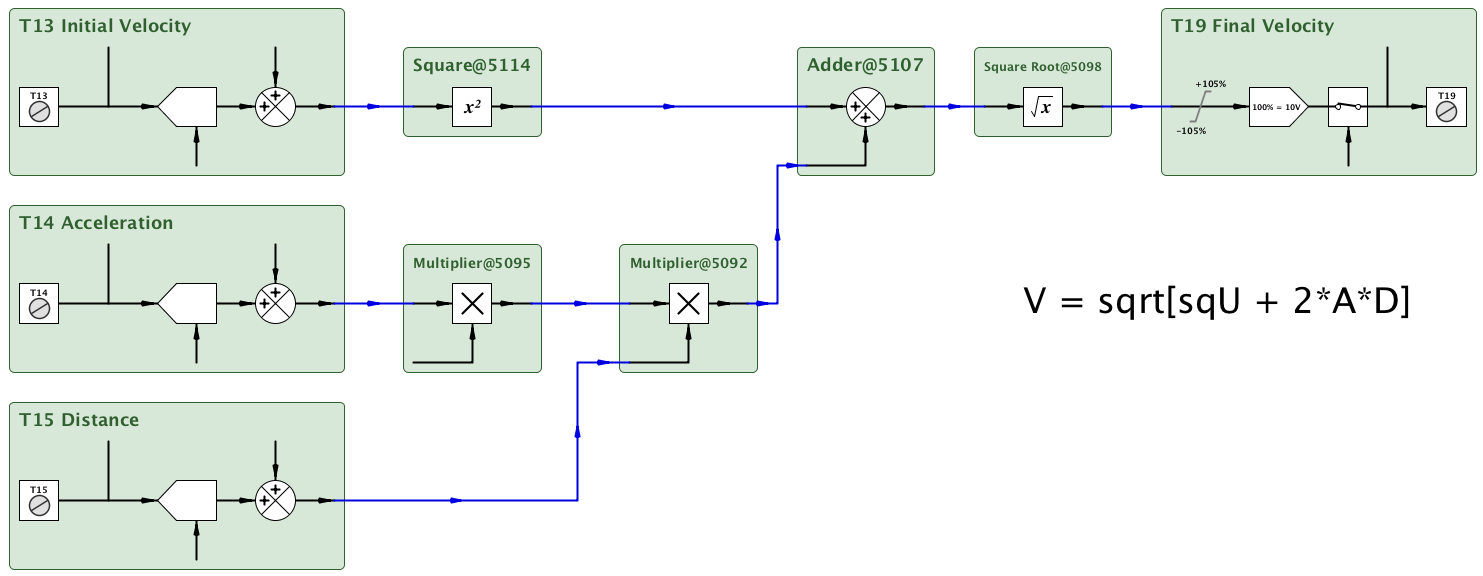
Calculator Function Block
Of particular interest is the Calculator FB which allows you to easily build multiple step, multiple path calculations that will execute very quickly.
Try it for fun!
Download the savvy tools, load the FBL into your smarty or speedy and see how powerful it is!
Redirects to www.driveweb.com
Encoder Control Function Block Library (dwOPTION -11)
This library contains all of the tools you will need for precision speed and position control in applications such as:
- Print registration
- Electronic line shaft
- Indexing
- Precision draw
- Spindle orientation
- Carrousel control
- Cut to length
Encoder pulse counts are 64-bit numbers, thus ensuring that any process is unlikely to overrun a position count in our lifetime!
Available function blocks:
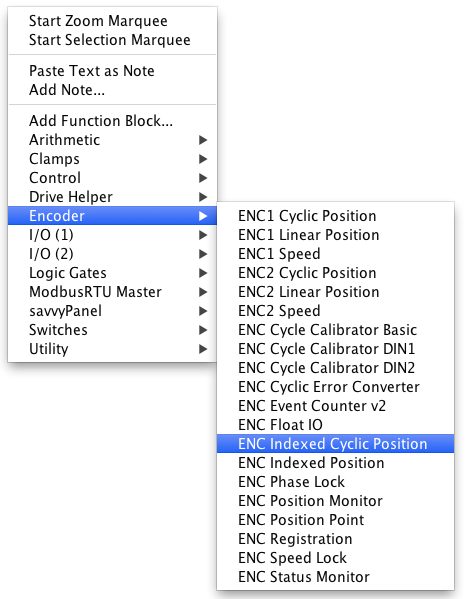
Example 1 - Want to build a Phase Locked System?
Make it easy for yourself! The phase lock function block incorporates everything you need to make this happen in one smart block.

Example 2 - Critical Performance Made Easy
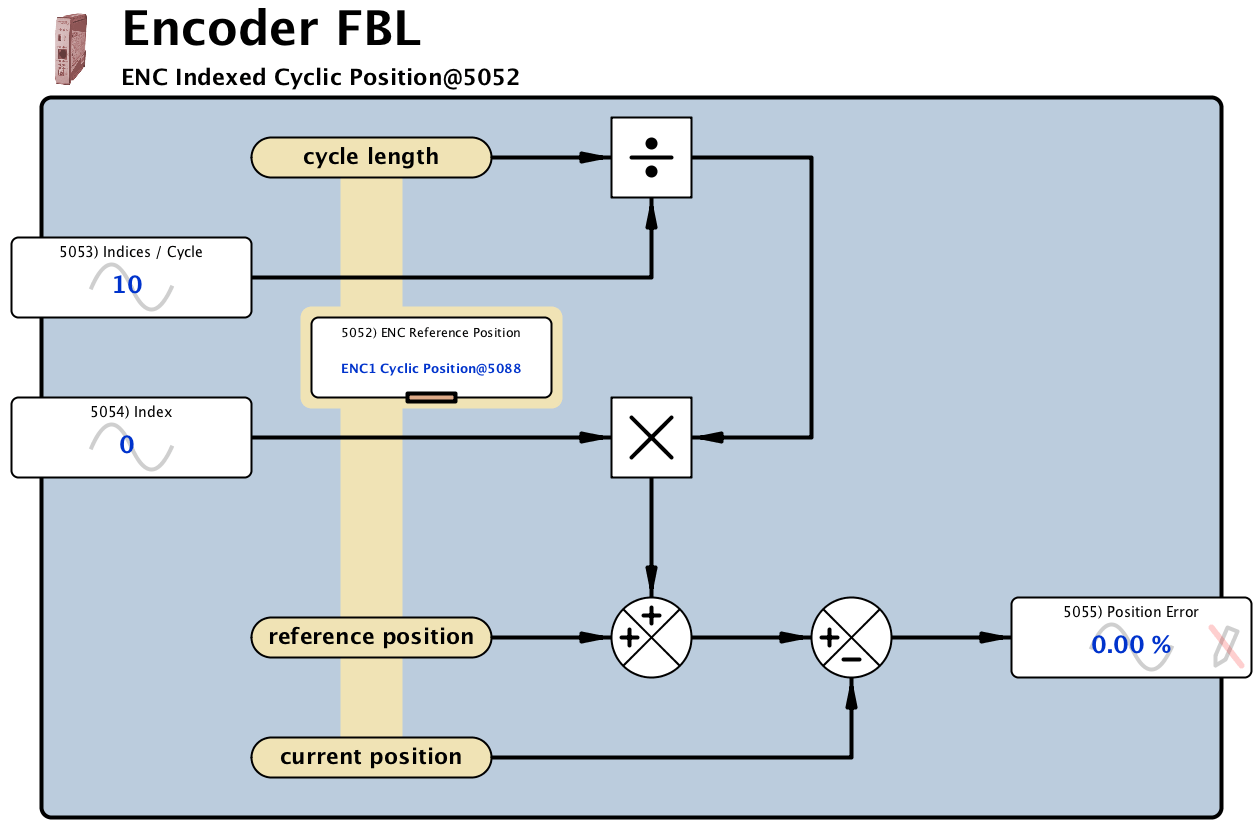
Some of the performance critical function blocks are automatically linked by selecting them in an embedded parameter to ensure high speed, high resolution data processing.
For instance in the Cyclic Position control scheme below the Encoder 1 position count data is automatically connected directly to the Encoder Indexed Cyclic Position function block.

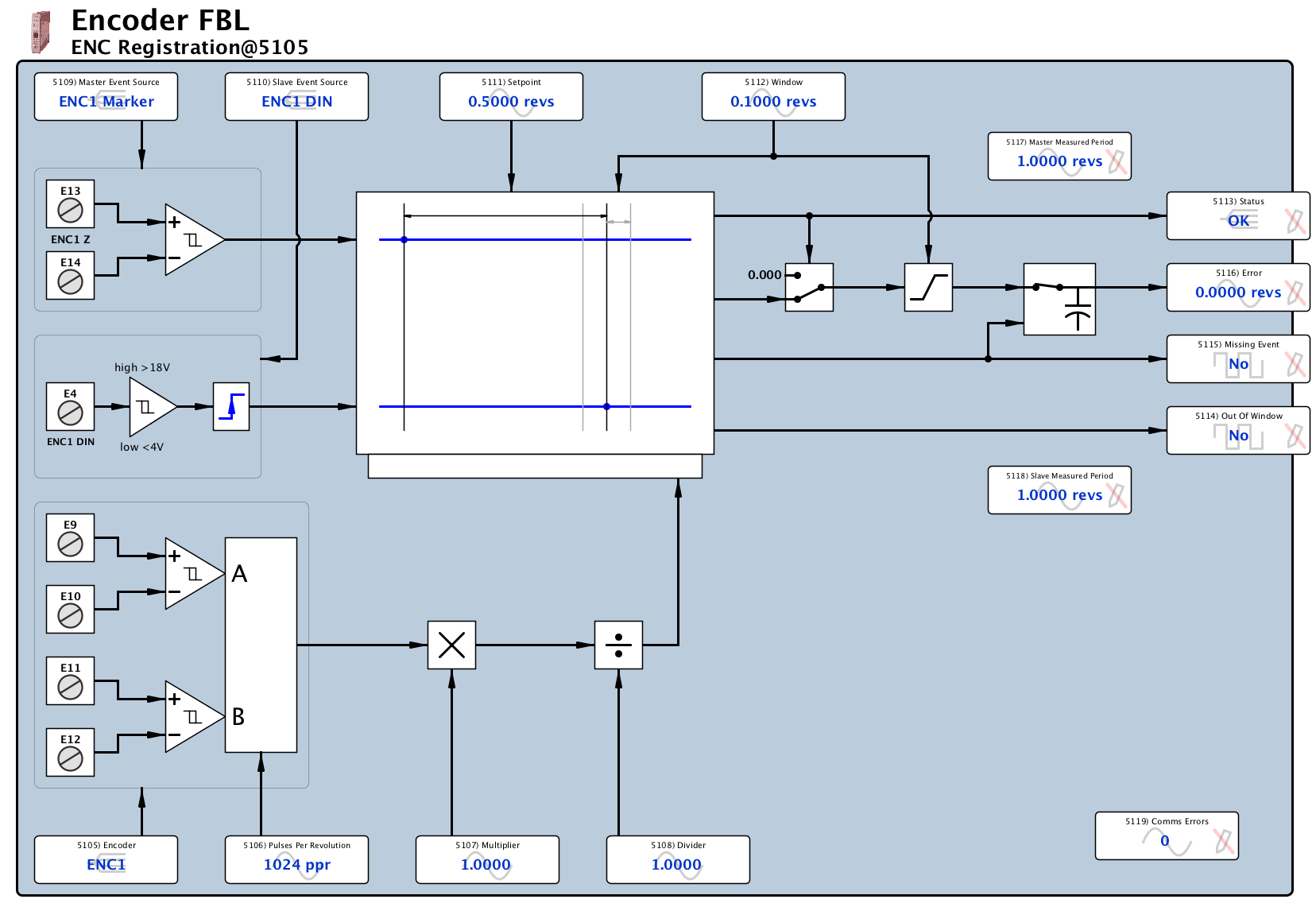
Example 3 - Easy Registration Control
Registration control is one of the most demanding tasks that you can ask of a programmable controller. In a conventional controller, it typically requires many lines of complex code, which is difficult to execute and even more difficult to troubleshoot. drive.web makes it easy.
Learn More
Encoder control systems can get very complex. Don’t hesitate to call us for advice on the best way to solve your problem at (410) 604-3400.
Free Online Training
Free online training is available every week. Sign up and quickly become an expert in the
drive.web
, 21st century automation technology!Redirects to www.driveweb.com
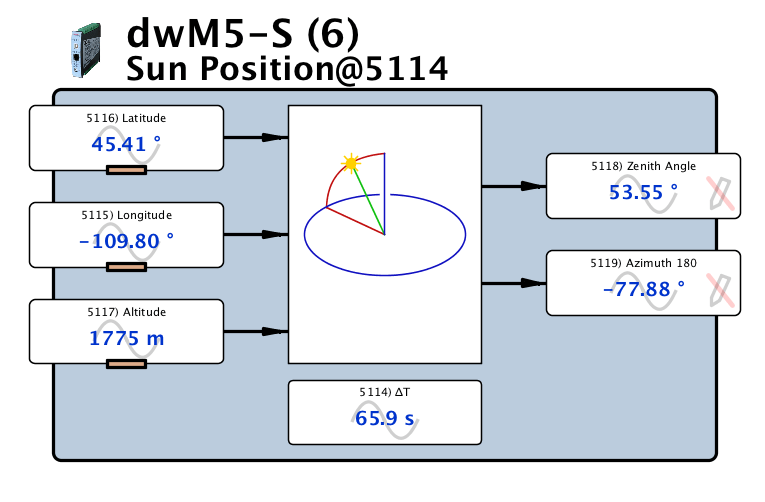
Sun Position Calculator Function Block
(dwOPTION -29)
The Solar Function Block Library provides precise calculation of the sun zenith and azimuth angles in solar energy systems. It can be synchronized with the SNTP server time and date and include a ∂T input parameter to compensate for the difference between UTC and Terrestrial Time for precise positioning of solar concentrators.
Key Features:
- Set up for any latitude, longitude and altitude.
- Fast calculation for use in mobile systems.
- SNTP synchronization support.
- Terrestrial Time correction input.
Motion Control Function Block Library (dwOPTION -36)
For multi-axis motion control of all types of drives - AC drives, DC drives, servos, steppers, hydraulic, linear actuator, etc., in a wide variety of general industrial position control applications including:
- Pick & place machines
- Packaging machines
- Painting robots
- Cut to length
- Automated assembly processes
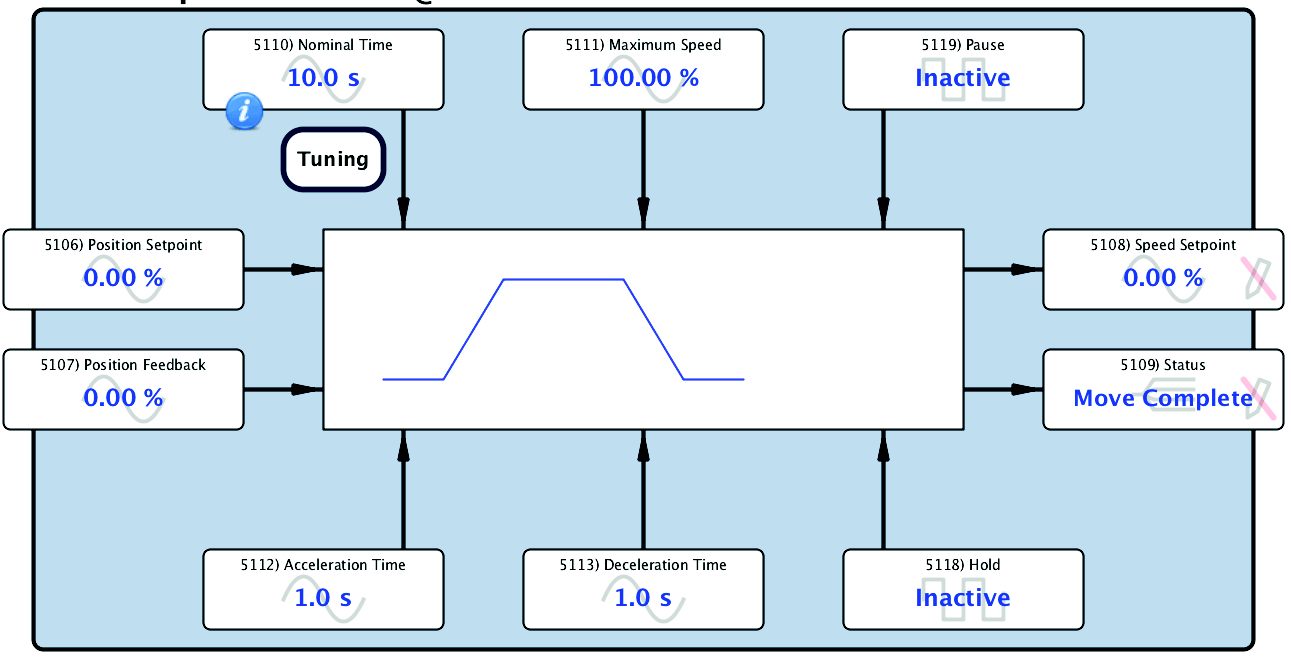
Trapezoidal Motion
A key requirement for numerous machine controls.
Key Features:
- Continuous target recalculation
- Easy system set up
- Easy performance optimization
- Pause with controlled accel/decel
- Hold with fast stop
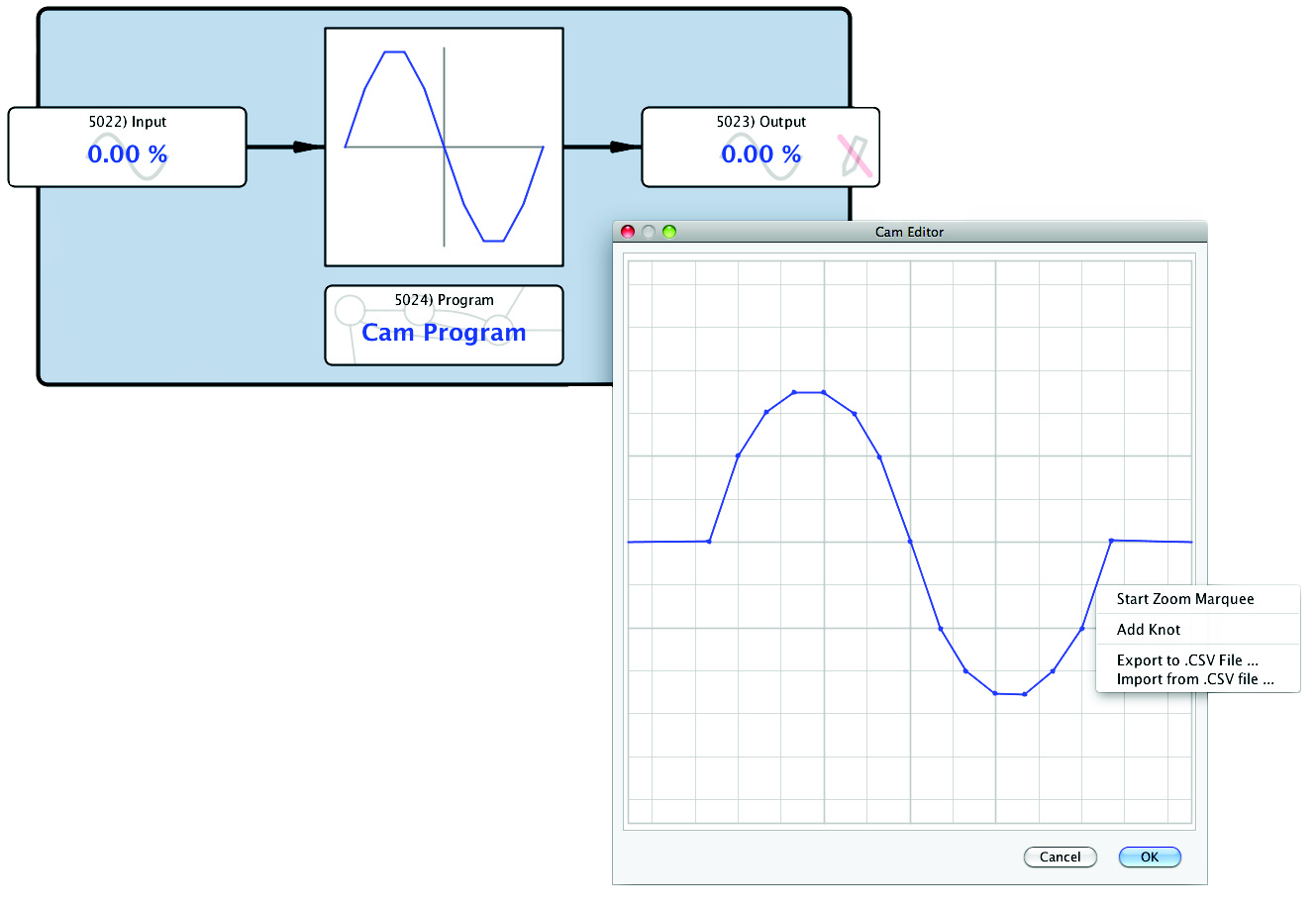
Cam Profile
A key requirement for numerous machine controls.
Key Features:
- Easy graphical profile editor
- Optional .csv file import
- Easy .csv file export
- Easy system set up
- Easy integration with multiple axes
- Up to 100 “knots” or points for complex profiles
- 16-bit signed input and output resolution for accurate cam forms
very smart!
motion control – Stepper Drive Controllers
These stepper drive controller options are available for most versions of the smarty. Both options include:
- 2 channels of pulse & direction
- 2 fast event inputs for count reset
- 64-bit pulse counts
- Automatic datum reset
- Easy set up
- Selectable count persistence with “clear on power up”
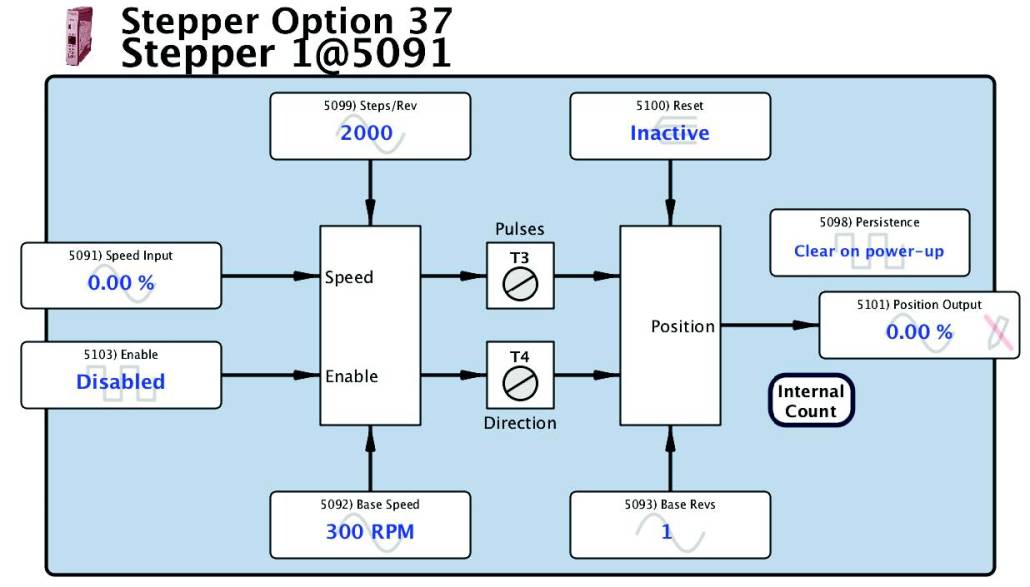
dwOPTION -37 Open Loop Stepper Drive Controller
In a typical open loop stepper drive application, the “Position” parameter (derived from the pulse count) can be used to close the position control loop.
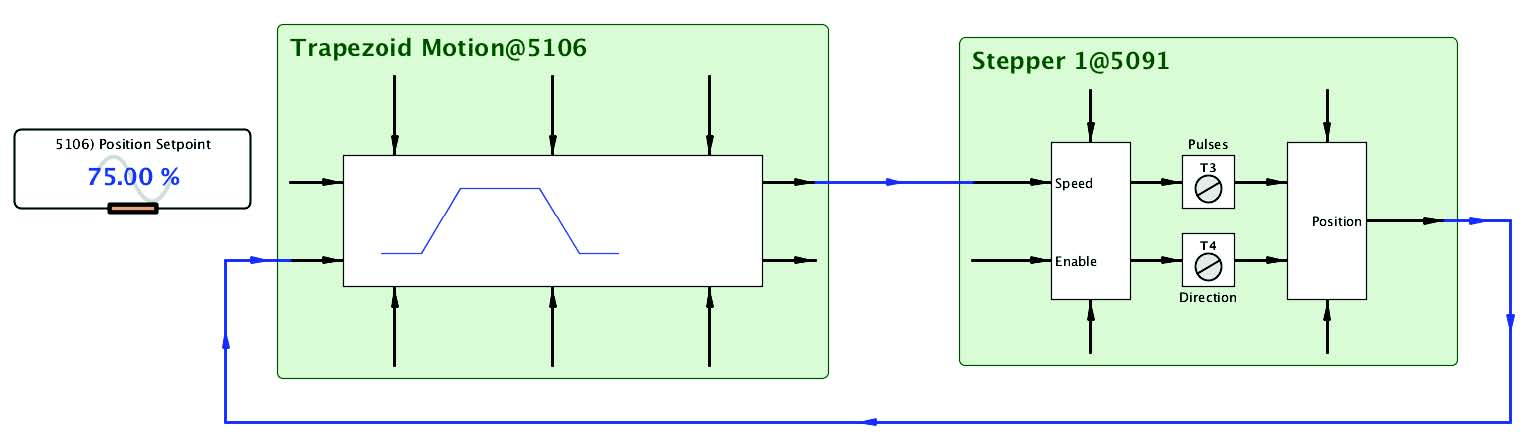
dwOPTION -38 Closed Loop Stepper Drive Controller
In a typical closed loop stepper drive application the position feedback can be provided by an encoder. The dwOPTION -42-45 encoder module also has two fast event inputs for auto count reset.